Moz Q&A is closed.
After more than 13 years, and tens of thousands of questions, Moz Q&A closed on 12th December 2024. Whilst we’re not completely removing the content - many posts will still be possible to view - we have locked both new posts and new replies. More details here.
Google Search Console not loading some resources
-
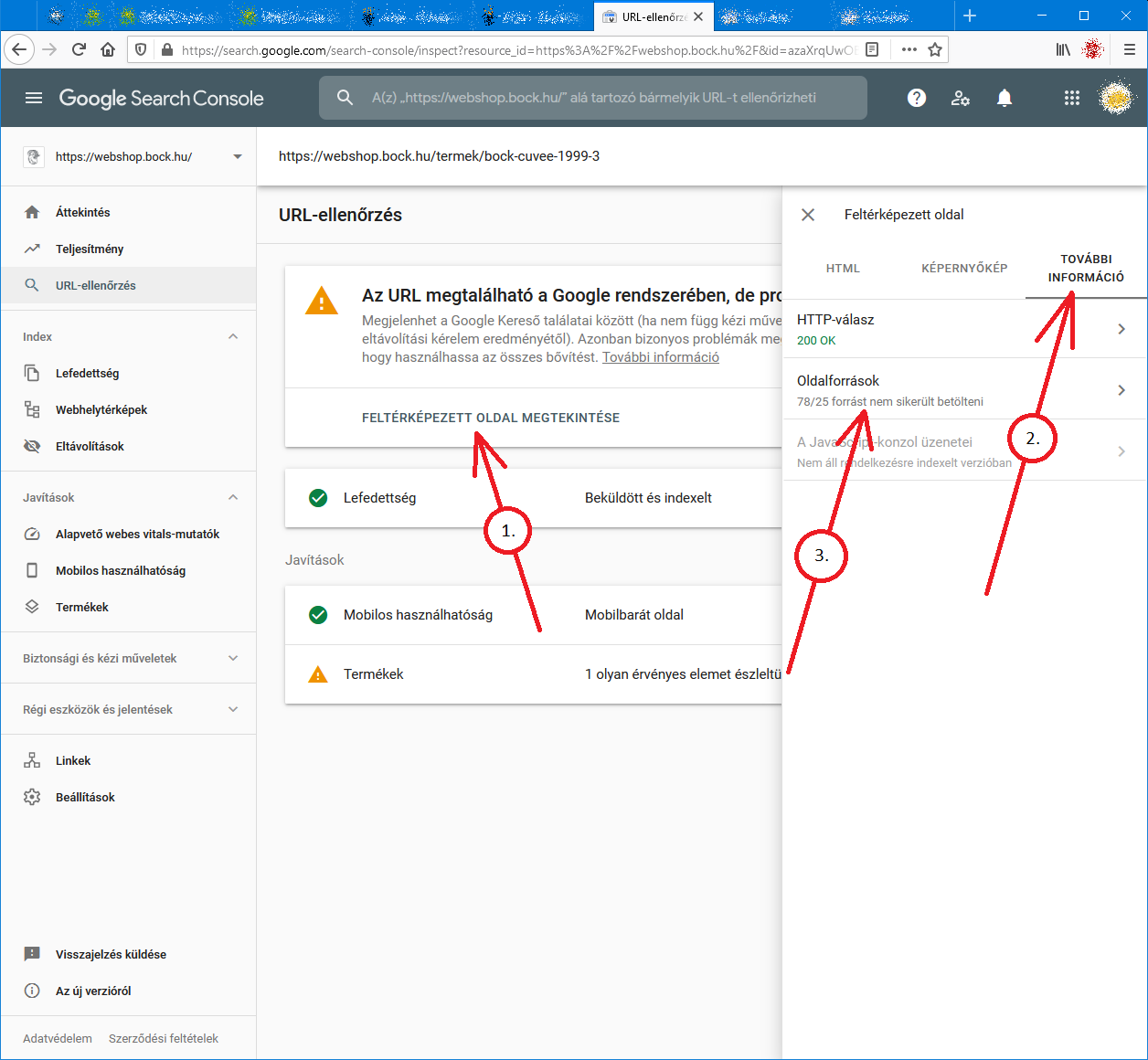
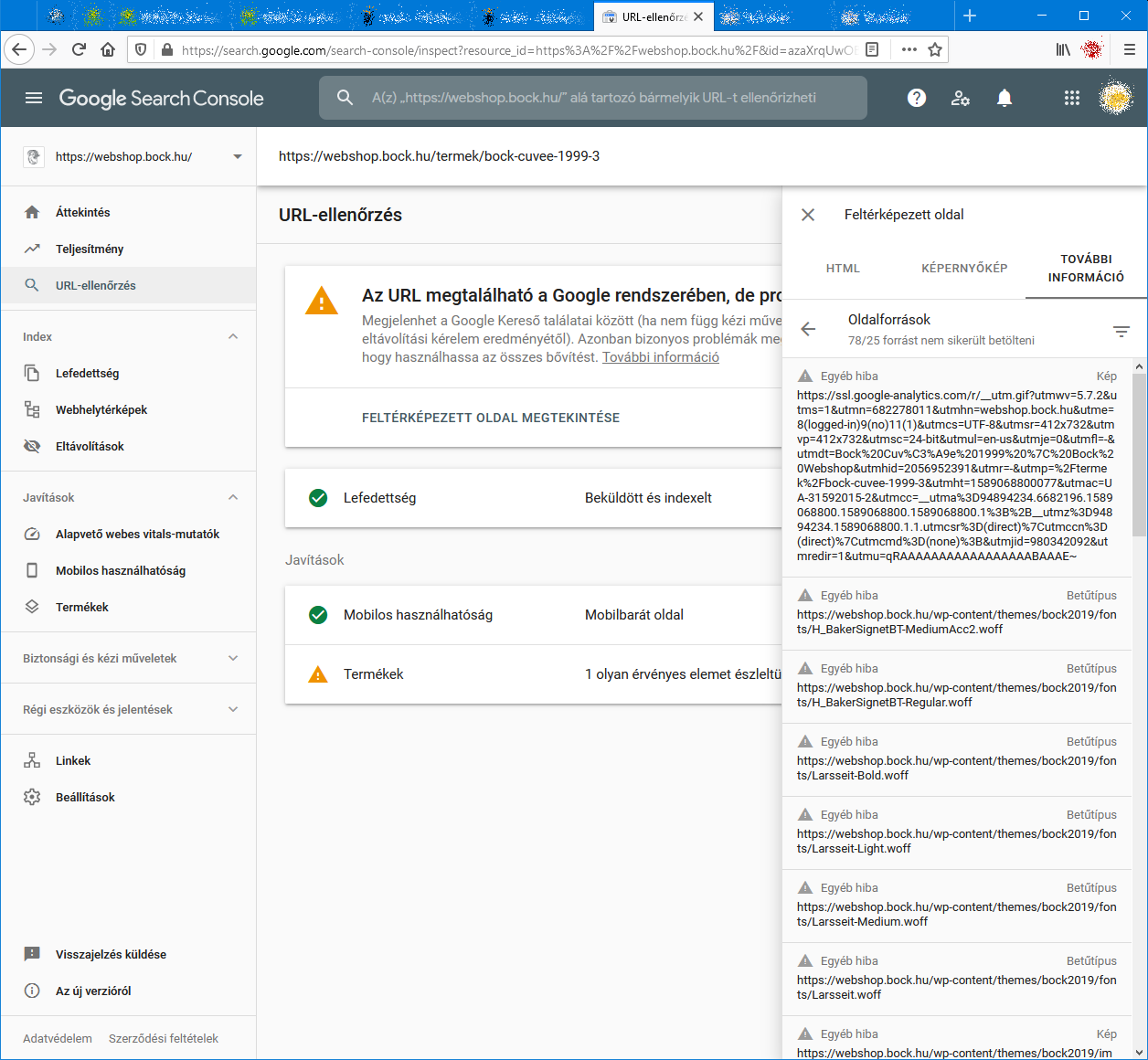
When I check an URL with Search Console it cannot load some page resources, even from other domains (like: ssl.google-analytics.com, www.facebook.com and www.google-analytics.com).
Have any of you experienced this issue?
Steps to reproduce:- open Google Search Console
- check an URL
- click "View crawled page" link
- select "More info" tab
- click "Page resources" {?}/{?} couldn't be loaded
When I check the listed resources, all of them can be loaded from a web browser.
So I do not understand why Google cannot load them.
And there is no additional info why the resources could not be loaded.
Any ideas?google-search-console-other-error-1.png google-search-console-other-error-2.png
-
I am facing issue for my https://jobdekho247.com site, web stories are not loading in search console, Refused to load the stylesheet. How can i fix it?
Currently I am using premium version of GeneratePress theme.
-
Google Search Console Pages Not Loading properly since a week
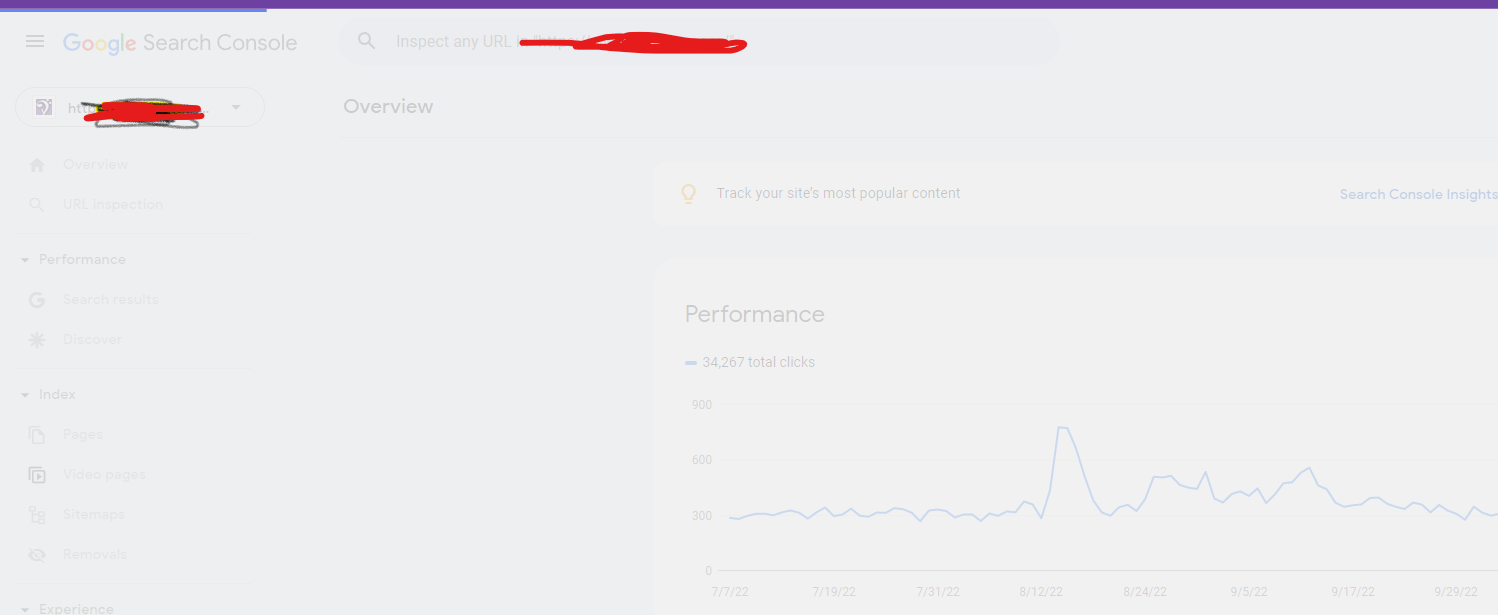
Google search console for my two websites is taking too much time to load. Although I have very good internet connection. When I reload the same page 2nd time then it loads quickly. What is this issue and how to resolve this?
- Can someone help?
-
I also facing this issue, for my https://www.uaeadvise.com/ site, Google Search Index Tool isn't showing for my website. Does anyone know how to fix it? - Thanks in Advance!!
-
I am also facing the issue, for my https://www.darsaal.com/ site, Google Search Index Tool isn't showing for my website. Does anyone know how to fix it?
-
The internal resources are not disallowed.
The other resources are very important. Google Analytics has to work.
The original question is still unanswered. -
While I can't read the language in your screenshots, I can recommend that if those resources are on your own domain, make sure they are not disallowed by the robots.txt file. If they are on external domains, ones which you don't control, then there's really not anything for you to do, and you may as well ignore.
Got a burning SEO question?
Subscribe to Moz Pro to gain full access to Q&A, answer questions, and ask your own.
Browse Questions
Explore more categories
-
Moz Tools
Chat with the community about the Moz tools.
-
SEO Tactics
Discuss the SEO process with fellow marketers
-
Community
Discuss industry events, jobs, and news!
-
Digital Marketing
Chat about tactics outside of SEO
-
Research & Trends
Dive into research and trends in the search industry.
-
Support
Connect on product support and feature requests.
Related Questions
-
Attribution of conversions to payment gateway in Google Analytics
Hi all, We have been having a problem for a while now where most transactions are attributed to referrals from our payment gateway Sagepay. The issue started a couple of months ago, when we finally upgraded our website to https:// for logged in users and transactions. Before, when we were using http://, transactions were attributed to the correct channel. Even weirder, we upgraded 4 websites and only 2 of them have the issue now, the other two continue to attribute transactions correctly. I added Sagepay to the referral exclusion list which made no difference. Over the weekend, we upgraded to the global site tag and it seems to have improved somewhat, but yesterday 50% of transactions were still attributed to referral/sagepay. I am also seeing an odd issue, where for half of the transactions, the revenue and transaction are attributed to one channel, but the products (quantity) are attributed to another. One of the channels is always referral/sagepay and the other is the channel that the transaction should be attributed to. Has anyone seen this issue before? I'd appreciate any tips that might help us fix this issue. Thanks in advance!
Reporting & Analytics | | ViviCa10 -
Google Analytics Goals - Button Tracking
Does anyone know if there is a really easy way to track a button in Google Analytics yourself? It seems that most button click goal setups involve some use of tricky code and I'm wondering if there is a much easier way to do this that will allow us to simply setup and track certain button clicks as goal conversions in Analytics. Your help here is much appreciated!
Reporting & Analytics | | Gavo0 -
Conflicting average position data from Google Search Console?
I'm looking at Google Search Console data in Google Analytics, specifically Average Position as given in the Landing Page report, and the same metric broken out by mobile and desktop in the Devices report. In the Landing Page report, I see an aggregated average position that's much higher/worse than an actual average of what is reported for mobile, desktop and tablet traffic under the Device reporting. For example: Mobile: 5 Desktop: 5 Tablet: 5 So the average still should be roughly 5, right? Why would the Landing Page then show an aggregate Average Position of 8? I wouldn't expect to see a precisely same average given that different device types have different proportions that could render differently when the buckets are combined, but this is a huge swing. In fact, the aggregate Average Position as given in the top level Devices report is closer to 5 than to the 8 shown in the Landing Pages report. (These aren't actual numbers, but are illustrative of what I'm seeing, by the way.) Unless I'm missing some vital difference in the way that Average Position is reporting for the Landing Page report versus the Device reports, it doesn't seem like this should be possible. What am I missing?
Reporting & Analytics | | BradsDeals0 -
% Change - Google analytics - how to calculate?
Hi All,
Reporting & Analytics | | JohnPalmer
I have two dates with two different numbers I want to calculate the "% Change" like google analytics, The numbers of June 2015 - 127,931 sessions
The numbers of June 2014 - 90914 sessions please tell me what is the %Change. Best. J0 -
How does switching to HTTPS effect Google Analytics?
We are looking at making our site HTTPS. We have been using the same Google Analytics account for years and I like having the historical data. All of our pages will be the same, we are just going to redirect from the http to https. Does anything need to be done with Google Analytics? What about other addons such as Optimizely, Crazy Egg, or Share this?
Reporting & Analytics | | EcommerceSite0 -
Google Analytics - Next Page Path is the Same URL?
Hey Everyone, I have a Google analytics question. I'm looking through a client's site and when I look at the next page path, I get the same URL as the next path. For example, on the homepage, the next page path I get is the homepage again? This happens for all URL's, is this an implementation error? Is there a way to fix this? Thanks!
Reporting & Analytics | | EvansHunt0 -
How do I manually add transactions to Google Analytics
We are seeing Google Analytic's drop transaction on our site so therefore all the figures are skewed. Is there a way I can manually add transactions to GA to cover the missing one?
Reporting & Analytics | | Towelsrus0