Moz Q&A is closed.
After more than 13 years, and tens of thousands of questions, Moz Q&A closed on 12th December 2024. Whilst we’re not completely removing the content - many posts will still be possible to view - we have locked both new posts and new replies. More details here.
Google Search Console not loading some resources
-
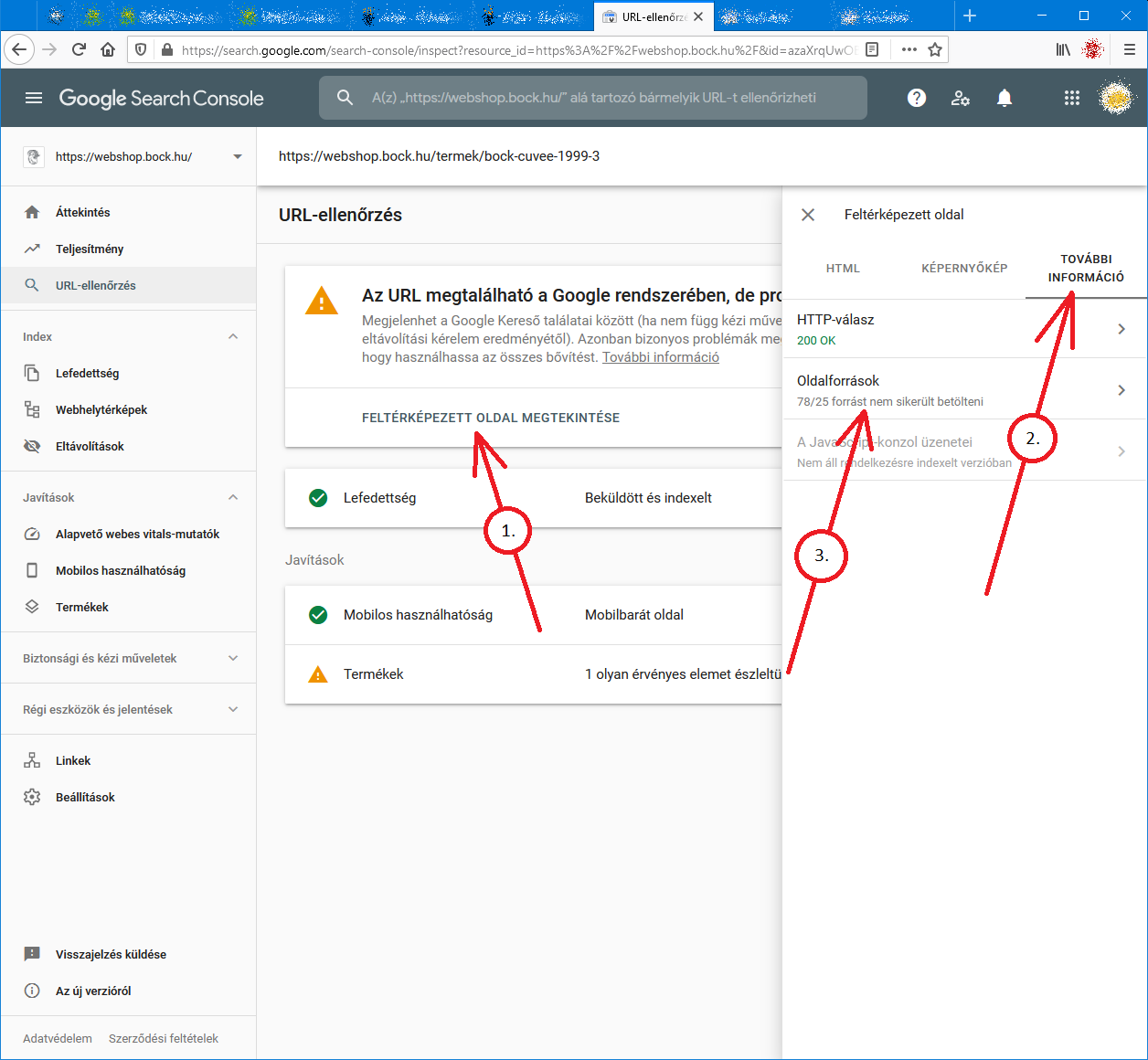
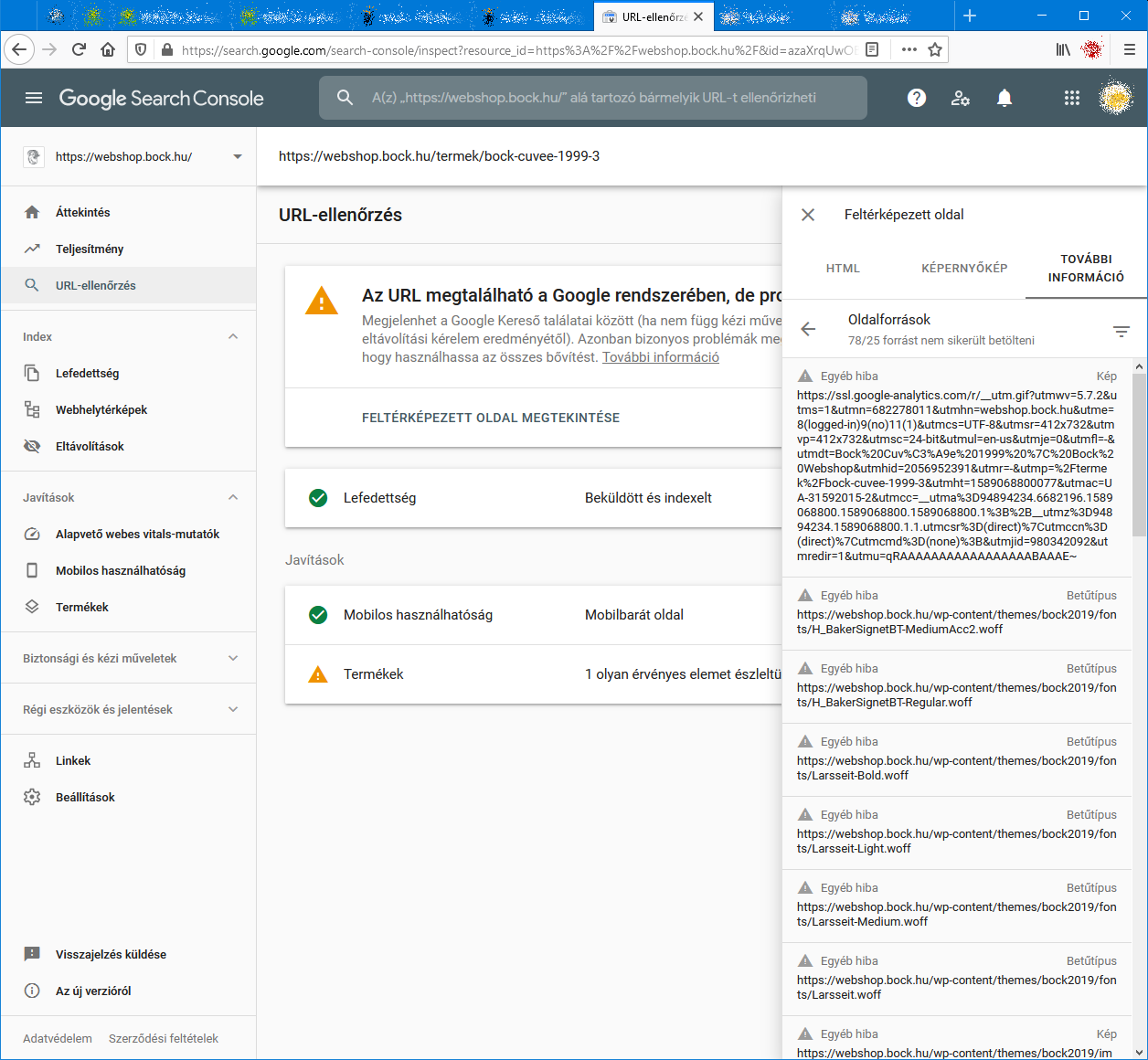
When I check an URL with Search Console it cannot load some page resources, even from other domains (like: ssl.google-analytics.com, www.facebook.com and www.google-analytics.com).
Have any of you experienced this issue?
Steps to reproduce:- open Google Search Console
- check an URL
- click "View crawled page" link
- select "More info" tab
- click "Page resources" {?}/{?} couldn't be loaded
When I check the listed resources, all of them can be loaded from a web browser.
So I do not understand why Google cannot load them.
And there is no additional info why the resources could not be loaded.
Any ideas?google-search-console-other-error-1.png google-search-console-other-error-2.png
-
I am facing issue for my https://jobdekho247.com site, web stories are not loading in search console, Refused to load the stylesheet. How can i fix it?
Currently I am using premium version of GeneratePress theme.
-
Google Search Console Pages Not Loading properly since a week
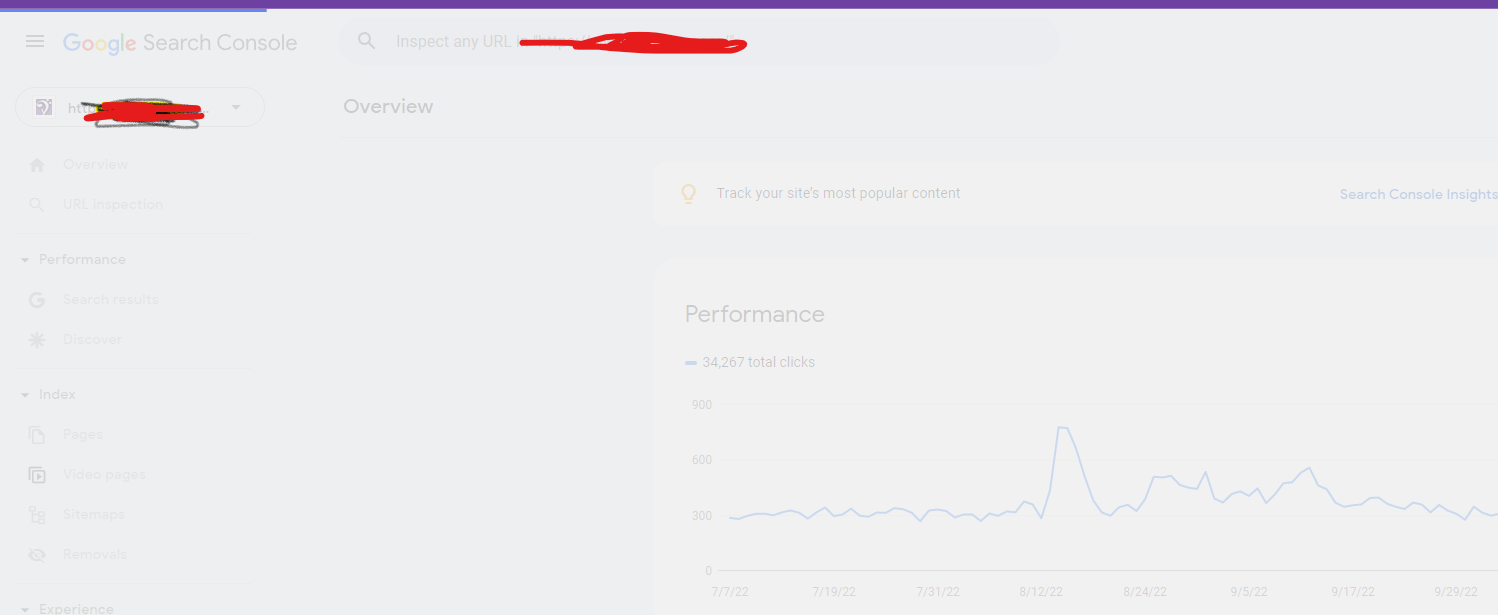
Google search console for my two websites is taking too much time to load. Although I have very good internet connection. When I reload the same page 2nd time then it loads quickly. What is this issue and how to resolve this?
- Can someone help?
-
I also facing this issue, for my https://www.uaeadvise.com/ site, Google Search Index Tool isn't showing for my website. Does anyone know how to fix it? - Thanks in Advance!!
-
I am also facing the issue, for my https://www.darsaal.com/ site, Google Search Index Tool isn't showing for my website. Does anyone know how to fix it?
-
The internal resources are not disallowed.
The other resources are very important. Google Analytics has to work.
The original question is still unanswered. -
While I can't read the language in your screenshots, I can recommend that if those resources are on your own domain, make sure they are not disallowed by the robots.txt file. If they are on external domains, ones which you don't control, then there's really not anything for you to do, and you may as well ignore.
Got a burning SEO question?
Subscribe to Moz Pro to gain full access to Q&A, answer questions, and ask your own.
Browse Questions
Explore more categories
-
Moz Tools
Chat with the community about the Moz tools.
-
SEO Tactics
Discuss the SEO process with fellow marketers
-
Community
Discuss industry events, jobs, and news!
-
Digital Marketing
Chat about tactics outside of SEO
-
Research & Trends
Dive into research and trends in the search industry.
-
Support
Connect on product support and feature requests.
Related Questions
-
Should Google Trends Match Organic Traffic to My Site?
When looking at Google Trends and my Organic Traffic (using GA) as percentages of their total yearly values I have a correlation of .47. This correlation doesn't seem right when you consider that Google Trends (which is showing relative search traffic data) should match up pretty strongly to your Organic Traffic. Any thoughts on what might be going on? Why isn't Google Trends correlating with Organic Traffic? Shouldn't they be pulling from the same data set? Thanks, Jacob
Reporting & Analytics | | jacob.young.cricut0 -
Google Analytics Real Time Not Working! :(
Hello Everyone, Today, the real time feature in my google analytics stopped working. I am able to see that traffic is visiting my site, but not in real time. The real time count is usually at 0. But, there are some instances where real time will come back online, but there will be only 1 unique visitor. At any given time, our website usually has 20 visitors or so..Has anyone encountered this issue? Where should i start looking for fixes? What are the possible problems? Thanks!
Reporting & Analytics | | KarlMarxTheBear0 -
How does switching to HTTPS effect Google Analytics?
We are looking at making our site HTTPS. We have been using the same Google Analytics account for years and I like having the historical data. All of our pages will be the same, we are just going to redirect from the http to https. Does anything need to be done with Google Analytics? What about other addons such as Optimizely, Crazy Egg, or Share this?
Reporting & Analytics | | EcommerceSite0 -
Google Analytics - Keywords (not set) or ( not provided) WHY???
In Analytics, most of my visitors are landing on my home page, but when trying to see wich keywords they use, most of them are: (not set) or ( not provided) See screencast: http://screencast.com/t/AKwPW76qLVsN Can you tell why? What is going on? Is there a way to solve this? Thank you, BigBlaze
Reporting & Analytics | | BigBlaze2050 -
Google Analytics and DNS change
Our new alumni application is going be tested at domain uva.imodules.com . We are going to collect traffic data with a Google analytics account number UA-884652-XX. So going to uva.imodules.com/myPage.html would send its data to Google Analytics with that account number. Then when it is ready for production we are going to just change the domain name of the application and switch the DNS over to dardencommunity.darden.virginia.edu . So going to dardencommunity.darden.virginia.edu /myPage.html would send its data to Google Analtics with that SAME account number. Aside from having the testing domain data in the same profile are there any other issues/problems we may run into?
Reporting & Analytics | | Darden0 -
No Social Sources in Google Analytics - what am I doing wrong?
Hello Everyone, I'm having a strange issue: I DO NOT have in my Google Analytics the "Social" tab under the Traffic Sources category. Look at the first image of this post: http://marketingland.com/google-analytics-social-reports-8138 How do you "get" that to show? Hope somebody has this issue and can help, Thanks a lot, Alex
Reporting & Analytics | | pwpaneuro0 -
Setting up Google Analytics default URL
If someone has set: the default url in Google Analytics to a non-www address (http://mysite.com) then placed the UA tracking script from that GA account within the CMS framework of the website... ... and then set the permanent 301 redirect in the htaccess file to redirect to the www address (http://www.mysite.com). How less accurrate will my GA analytics measurements be considering the default url within GA is non-www and the permanent 301 redirect in htacess is to the www-address? Anyone know how reliable GA reports are until the default url in GA analytics is changed to match what is the redirected url in htaccess file? _Cindy
Reporting & Analytics | | CeCeBar0 -
AW Stats vs Google Analytics
Hey Moz Community, I am looking to get opinions on the best practice for analytics/traffic analysis. From experience I know that AW Stats reads high and Google Analytics reads low for traffic for reason in this article http://www.smartz.com/blog/2009/01/23/analytic-confusion-%E2%80%93-awstats-vs-google-analytics/ It drives me a little nuts how far off both are for some pages. I have one article that shows 100 views (GA) and AW stats shows 5 times that number of views. Any suggestions or systems you recommend? Thanks
Reporting & Analytics | | johnshearer0