Moz Q&A is closed.
After more than 13 years, and tens of thousands of questions, Moz Q&A closed on 12th December 2024. Whilst we’re not completely removing the content - many posts will still be possible to view - we have locked both new posts and new replies. More details here.
Google Search Console not loading some resources
-
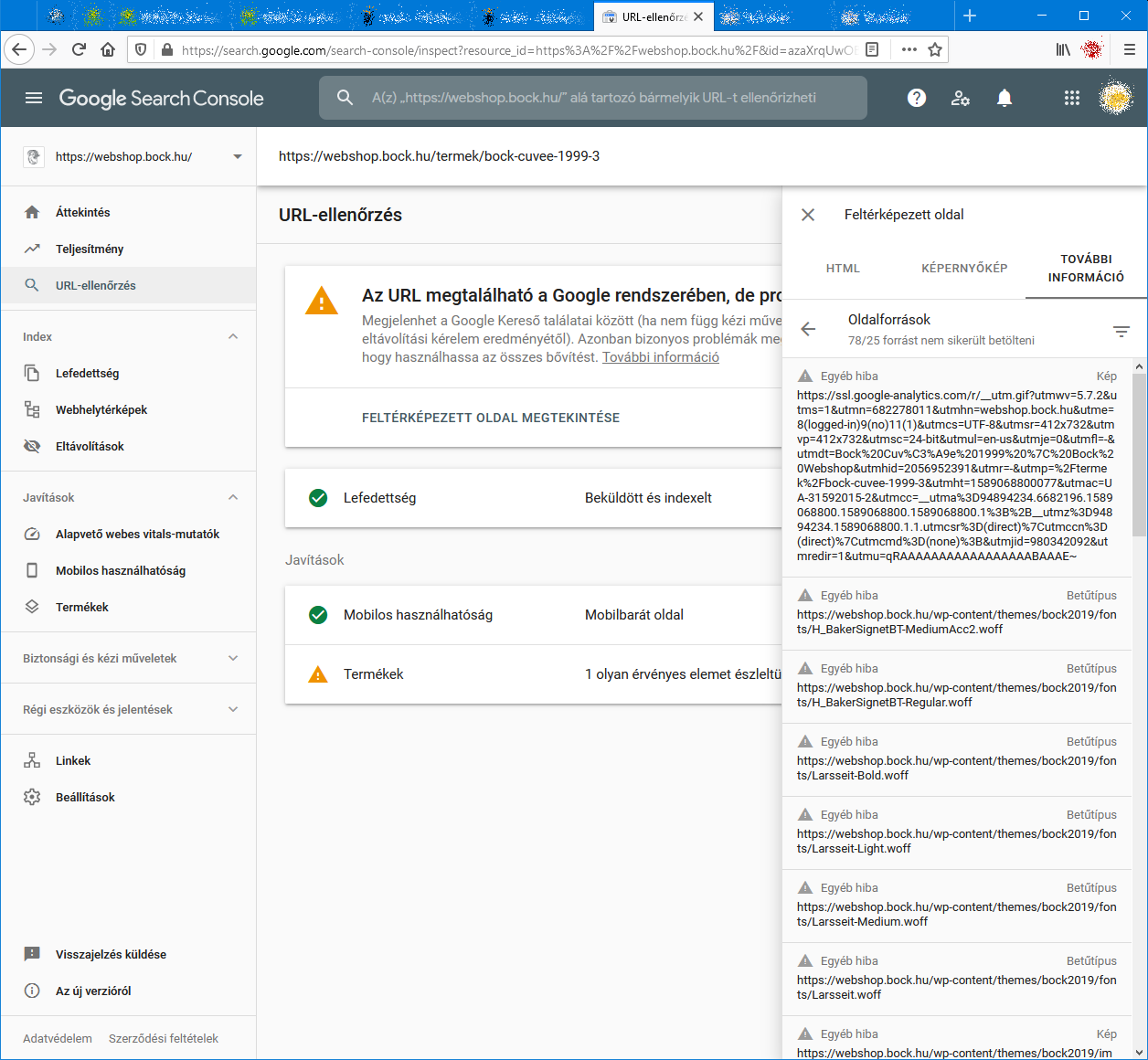
When I check an URL with Search Console it cannot load some page resources, even from other domains (like: ssl.google-analytics.com, www.facebook.com and www.google-analytics.com).
Have any of you experienced this issue?
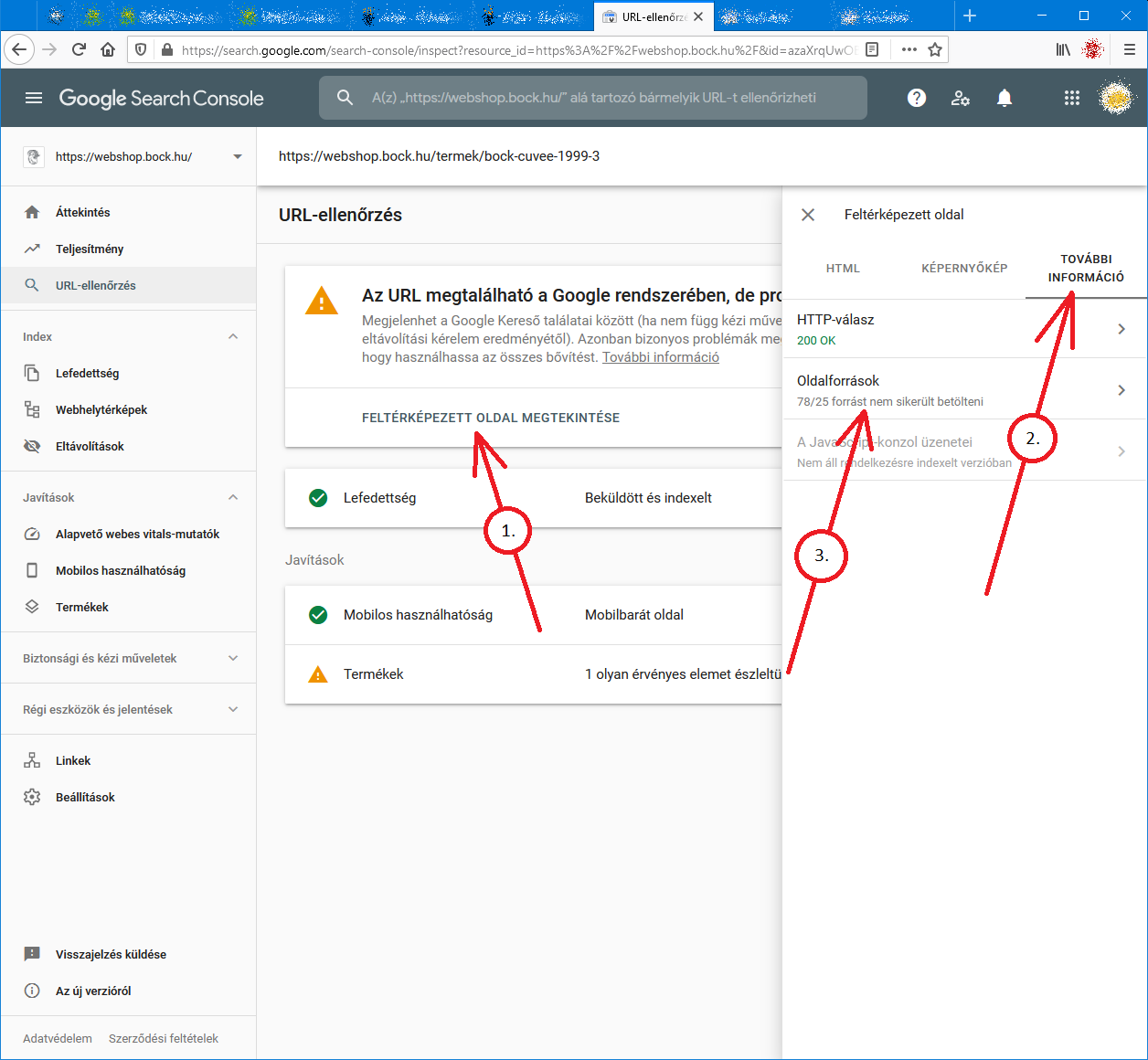
Steps to reproduce:- open Google Search Console
- check an URL
- click "View crawled page" link
- select "More info" tab
- click "Page resources" {?}/{?} couldn't be loaded
When I check the listed resources, all of them can be loaded from a web browser.
So I do not understand why Google cannot load them.
And there is no additional info why the resources could not be loaded.
Any ideas?google-search-console-other-error-1.png google-search-console-other-error-2.png
-
I am facing issue for my https://jobdekho247.com site, web stories are not loading in search console, Refused to load the stylesheet. How can i fix it?
Currently I am using premium version of GeneratePress theme.
-
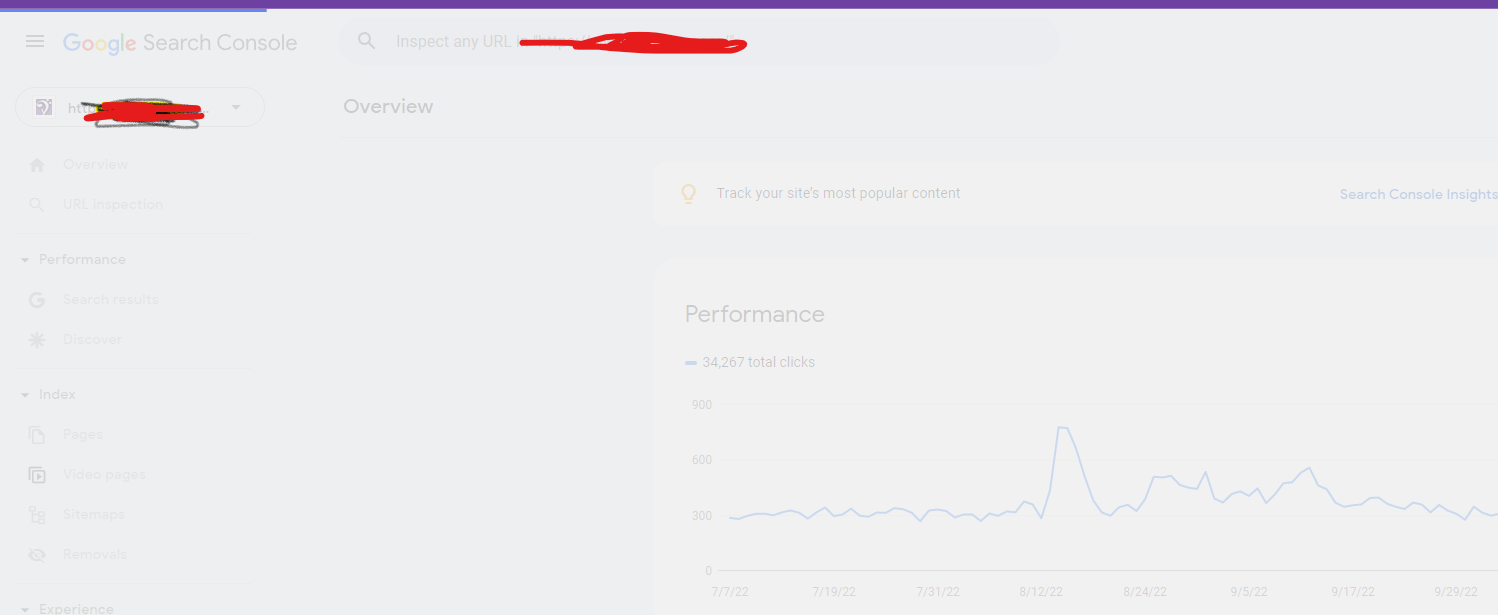
Google Search Console Pages Not Loading properly since a week
Google search console for my two websites is taking too much time to load. Although I have very good internet connection. When I reload the same page 2nd time then it loads quickly. What is this issue and how to resolve this?
- Can someone help?
-
I also facing this issue, for my https://www.uaeadvise.com/ site, Google Search Index Tool isn't showing for my website. Does anyone know how to fix it? - Thanks in Advance!!
-
I am also facing the issue, for my https://www.darsaal.com/ site, Google Search Index Tool isn't showing for my website. Does anyone know how to fix it?
-
The internal resources are not disallowed.
The other resources are very important. Google Analytics has to work.
The original question is still unanswered. -
While I can't read the language in your screenshots, I can recommend that if those resources are on your own domain, make sure they are not disallowed by the robots.txt file. If they are on external domains, ones which you don't control, then there's really not anything for you to do, and you may as well ignore.
Got a burning SEO question?
Subscribe to Moz Pro to gain full access to Q&A, answer questions, and ask your own.
Browse Questions
Explore more categories
-
Moz Tools
Chat with the community about the Moz tools.
-
SEO Tactics
Discuss the SEO process with fellow marketers
-
Community
Discuss industry events, jobs, and news!
-
Digital Marketing
Chat about tactics outside of SEO
-
Research & Trends
Dive into research and trends in the search industry.
-
Support
Connect on product support and feature requests.
Related Questions
-
Tasks for Google Analytics training
Hi Mozzers, I'm delivering some Google Analytics (Fundamentals level) training, and trying to make it was fun and as interesting as possible... which is quite a challenge when it comes to GA. I was just wondering if you're aware of training tasks, or interactions, I could bring into this kind of training session? The group are particularly interested in user journeys and the effectiveness of content. Thanks!
Reporting & Analytics | | A_Q0 -
% Change - Google analytics - how to calculate?
Hi All,
Reporting & Analytics | | JohnPalmer
I have two dates with two different numbers I want to calculate the "% Change" like google analytics, The numbers of June 2015 - 127,931 sessions
The numbers of June 2014 - 90914 sessions please tell me what is the %Change. Best. J0 -
Google Analytics Showing Inflated Product Revenue
Hi- For the month of Feb on two of our sites we are seeing inflated product revenues. I have not seen this before and I am not having any luck searching for answers. Here is the issue: Product B sells for $159.95 For the month of Feb we sold 3 thus revenue should be ~$479.85 GA is showing Product B's revenue at $3,360.00 I read online that sometimes folks will bookmark the receipt page and that can cause this and we would need to put a catch in place for this but I am guessing this is not the case as it is happening on two sites. Please let me know if you have any questions.
Reporting & Analytics | | K2_Sports0 -
Google Analytics - Keywords (not set) or ( not provided) WHY???
In Analytics, most of my visitors are landing on my home page, but when trying to see wich keywords they use, most of them are: (not set) or ( not provided) See screencast: http://screencast.com/t/AKwPW76qLVsN Can you tell why? What is going on? Is there a way to solve this? Thank you, BigBlaze
Reporting & Analytics | | BigBlaze2050 -
Google Analytics and DNS change
Our new alumni application is going be tested at domain uva.imodules.com . We are going to collect traffic data with a Google analytics account number UA-884652-XX. So going to uva.imodules.com/myPage.html would send its data to Google Analytics with that account number. Then when it is ready for production we are going to just change the domain name of the application and switch the DNS over to dardencommunity.darden.virginia.edu . So going to dardencommunity.darden.virginia.edu /myPage.html would send its data to Google Analtics with that SAME account number. Aside from having the testing domain data in the same profile are there any other issues/problems we may run into?
Reporting & Analytics | | Darden0 -
Localhost:4444 Showing Up in Google Analytics
Hello All, Lately in my Google Analytics account I have noticed a referral source labelled: localhost:4444 The number of visits is really high from this source, but I have no idea (no clue!) what it actually means. Can anyone shed some light on what this is about? Should I be creating some sort of filter to screen out this as a referral source (assuming it is not legitimate)? Many thanks in advance. Cheers!
Reporting & Analytics | | Robert-B0 -
Comparing % Change, Google Analytics
Hey Mozzers, Is there a simple way to compare the "% Change" in traffic when comparing two separate time periods in a single Google Analytics report? When comparing data from two separate time periods, an exported CSV doesn't include the % Change (booo!), and there's no option to sort by % Change within the GA report, essentially forcing you to scroll through all the results to pinpoint the major movers and shakers. I'm not averse to using spreadsheets to sort this data, but I'm thinking that I'd likely need a macro to make this work, something like this. However, none of the macros on that page are working (possibly because they were designed for a previous version of Analytics). All suggestions are appreciated. Thanks!
Reporting & Analytics | | dangaul0 -
No Social Sources in Google Analytics - what am I doing wrong?
Hello Everyone, I'm having a strange issue: I DO NOT have in my Google Analytics the "Social" tab under the Traffic Sources category. Look at the first image of this post: http://marketingland.com/google-analytics-social-reports-8138 How do you "get" that to show? Hope somebody has this issue and can help, Thanks a lot, Alex
Reporting & Analytics | | pwpaneuro0