Moz Q&A is closed.
After more than 13 years, and tens of thousands of questions, Moz Q&A closed on 12th December 2024. Whilst we’re not completely removing the content - many posts will still be possible to view - we have locked both new posts and new replies. More details here.
Pages with Duplicate Content Error
-
Hello, the result of renewed content appeared in the scan results in my Shopify Store. But these products are unique. Why am I getting this error? Can anyone please help to explain why?
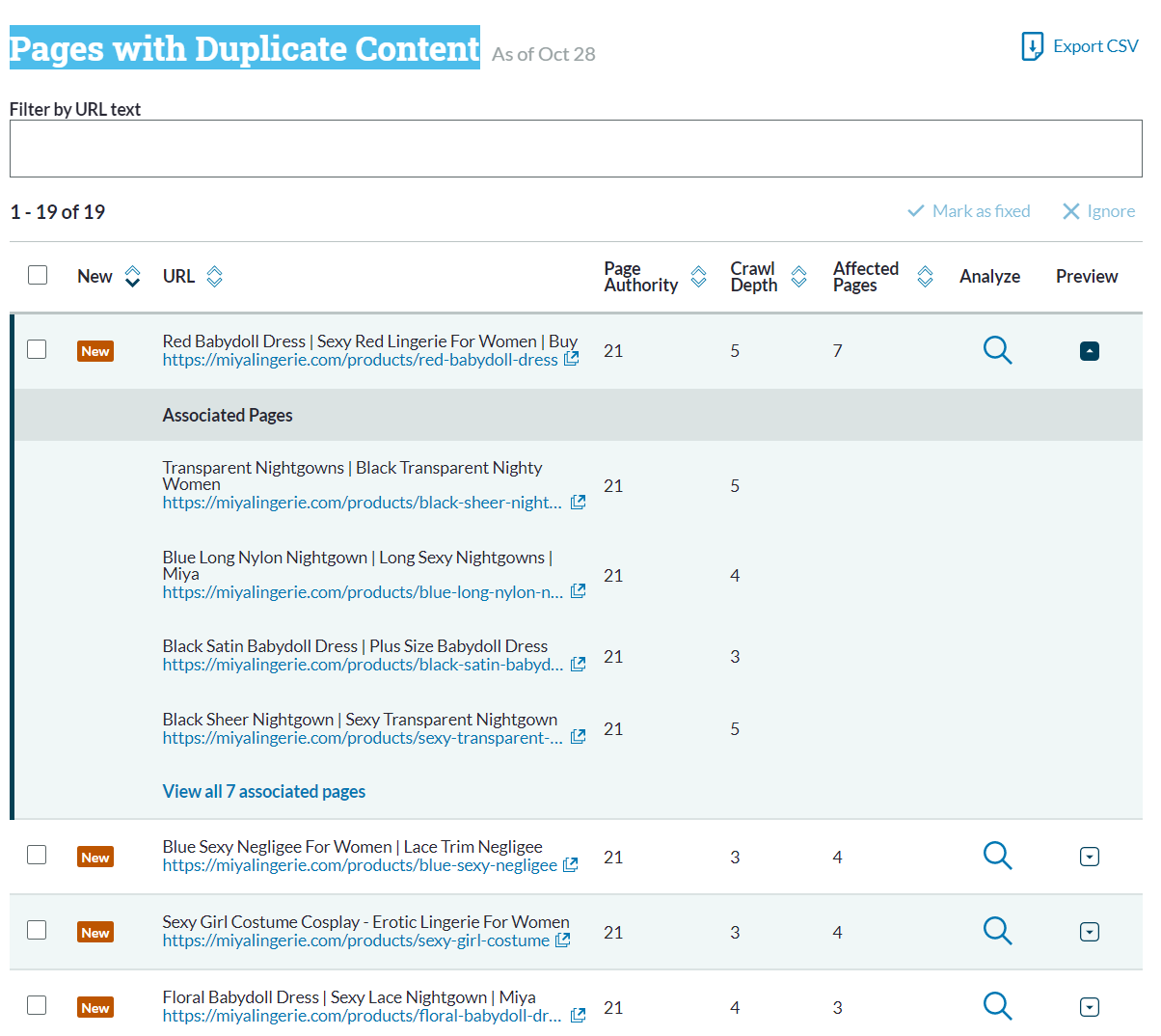
-
How can i find?
-
Remove any duplicate content marketing, replace it with quality white hat text, we done this for a Cardiff Demolition Contractor and got them onto page one of Google.
-
HI there!
Pages can be flagged as duplicate if there isn't enough unique content on each page to distinguish them from each other.
The Moz tools have a 90% threshold for duplicate content, which means that any pages with code that is at least 90% the same will be flagged as duplicates of one another.There is a great Whiteboard Friday video which explains duplicate content, in addition to how unique pages can get flagged.
To solve this you may want to add more unique and valuable content to each page.
At time of writing, you won't get a penalty for duplicate content, however anything you can do to help search engines understand what you content is about, and at the same time creating value for your visitors, will support a strong content marketing and SEO strategy.
I hope this helps!
Jo



Got a burning SEO question?
Subscribe to Moz Pro to gain full access to Q&A, answer questions, and ask your own.
Browse Questions
Explore more categories
-
Moz Tools
Chat with the community about the Moz tools.
-
SEO Tactics
Discuss the SEO process with fellow marketers
-
Community
Discuss industry events, jobs, and news!
-
Digital Marketing
Chat about tactics outside of SEO
-
Research & Trends
Dive into research and trends in the search industry.
-
Support
Connect on product support and feature requests.
Related Questions
-

Is it Ok to have multiple domains (separate website different content) rank for similar keywords?
Is it 'OK' to have multiple domains in the following instance? Does Google actively discourage multiple (but completely different sites) domains from the same company appearing in the search results for the same and or similar keywords if the content is slightly different? This is where the 'main site' has the details, and you can purchase product, and the second site is a blog site only. We are creating a separate content blogsite; which would be on a second domain that will be related to one portion of content on main site. They would be linking back and forth, or maybe the blog site would just link over to the main site so they can purchase said product. This would be a similar scenario to give you an idea of how it would be structured: MAIN SITE: describes a few products, and you can purchase from this site SECOND SITE, different domain: a blog site that contains personal experiences with one of the products. BOTH sites will be linked back and forth....or as mentioned maybe the blog site could just link over to the 'main site' Logo would be a modified version of the main logo and look and feel of the sight would be similar but not exactly the same. MORE INFO: the main site has existed for way over 10 years, starting to gain some traction in an extremely competitive market, but does not rank super high, is gaining traction due to improvements in speed, content, onpage SEO, etc... So in addition to my main question of is this 'ok' to have this second domain, also will it hurt the rankings or negatively affect the 'main' site? Wondering about duplicate content issues, except it will be slightly different...
SEO Tactics | | fourwhitesocks0 -

Unsolved error in crawling
hello moz . my site is papion shopping but when i start to add it an error appears that it cant gather any data in moz!! what can i do>???
Moz Tools | | valigholami13860 -

My "tag" pages are showing up as duplicate content. Is this harmful?
Hi. I ran a Moz sitecrawl. I see "Yes" under "Duplicate Page Content" for each of my tag pages. Is this harmful? If so, how do I fix it? This is a Wordpress site. Tags are used in both the blog and ecommerce sections of the site. Ecommerce is a very small portion. Thank you. | |
Moz Pro | | dlmilli1 -

Dynamic contents causes duplicate pages
Technical help required - please!
Moz Pro | | GBCweb
In our Duplicate Content Pages Report I see a lot of duplicate pages that are created by one URL plus several versions of the same page with the dynamic content, for example,
http://www.georgebrown.ca/immigranteducation/programs
http://www.georgebrown.ca/school-program.aspx?id=1909&Sortid=Study
http://www.georgebrown.ca/school-program.aspx?id=1909&Sortid=Term
http://www.georgebrown.ca/school-program.aspx?id=1909&Sortid=Certification
http://www.georgebrown.ca/school-program.aspx?id=1909&Sortid=Title How do we solve it?0 -

How to remove 404 pages wordpress
I used the crawl tool and it return a 404 error for several pages that I no longer have published in Wordpress. They must still be on the server somewhere? Do you know how to remove them? I think they are not a file on the server like an html file since Wordpress uses databases? I figure that getting rid of the 404 errors will improve SEO is this correct? Thanks, David
Moz Pro | | DJDavid0 -

Duplicate content on ecommerce sites
I just want to confirm something about duplicate content. On an eCommerce site, if the meta-titles, meta-descriptions and product descriptions are all unique, yet a big chunk at the bottom (featuring "why buy with us" etc) is copied across all product pages, would each page be penalised, or not indexed, for duplicate content? Does the whole page need to be a duplicate to be worried about this, or would this large chunk of text, bigger than the product description, have an effect on the page. If this would be a problem, what are some ways around it? Because the content is quite powerful, and is relavent to all products... Cheers,
Intermediate & Advanced SEO | | Creode0 -

Domain.com and domain.com/index.html duplicate content in reports even with rewrite on
I have a site that was recently hit by the Google penguin update and dropped a page back. When running the site through seomoz tools, I keep getting duplicate content in the reports for domain.com and domain.com/index.html, even though I have a 301 rewrite condition. When I test the site, domain.com/index.html redirects to domain.com for all directories and root. I don't understand how my index page can still get flagged as duplicate content. I also have a redirect from domain.com to www.domain.com. Is there anything else I need to do or add to my htaccess file? Appreciate any clarification on this.
Moz Pro | | anthonytjm0 -

Duplicate page titles are the same URL listed twice
The system says I have two duplicate page titles. The page titles are exactly the same because the two URLs are exactly the same. These same two identical URLs show up in the Duplicate Page Content also - because they are the same. We also have a blog and there are two tag pags showing identical content - I have blocked the blog in robots.txt now, because the blog is only for writers. I suppose I could have just blocked the tags pages.
Moz Pro | | loopyal0